The Rise of IoT Botnets in 2026: What Connected Device Owners Need to Know

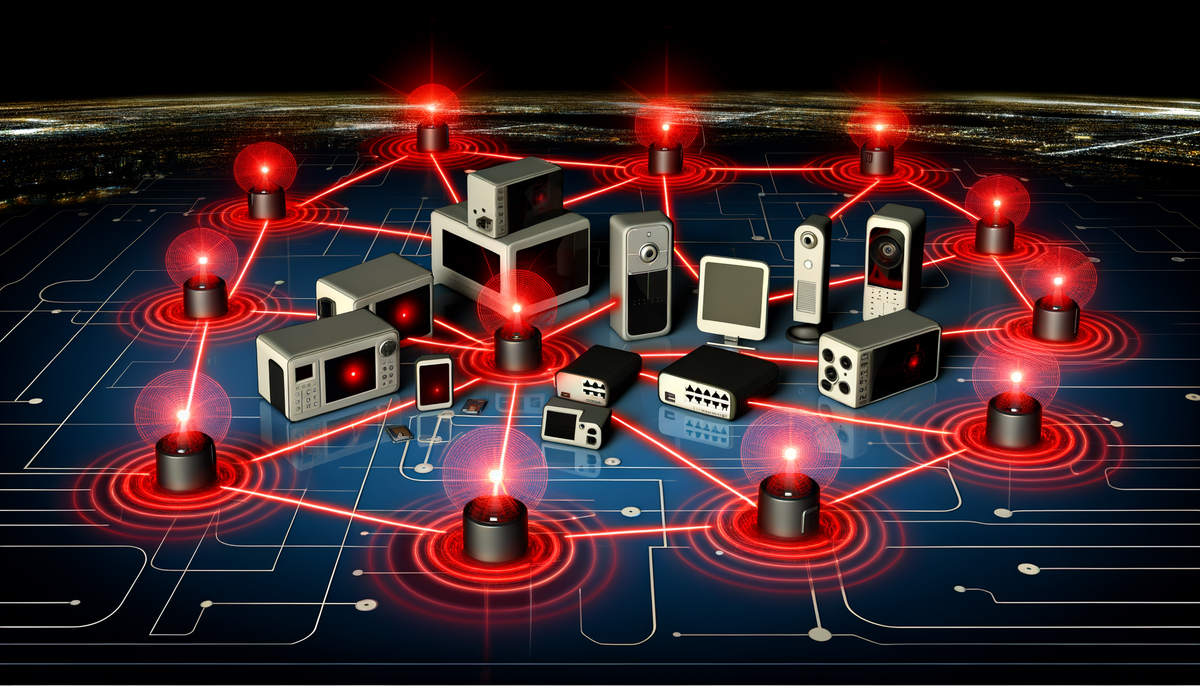
Your smart refrigerator might be launching cyberattacks right now, and you'd never know it. IoT botnets—armies of compromised connected devices—have evolved from proof-of-concept threats to sophisticated criminal infrastructure responsible for some of the internet's most devastating attacks. In 2026, understanding this threat isn't just for security professionals; it's essential knowledge for anyone with a smart home, connected camera, or internet-enabled appliance.
The Current Botnet Landscape: 2026 Reality Check
The numbers are staggering. Security researchers estimate that over 18 billion IoT devices are currently connected to the internet, and approximately 2.4 billion of them exhibit exploitable vulnerabilities. Recent botnet campaigns have recruited networks exceeding 4 million compromised devices—each one someone's doorbell, baby monitor, or router silently participating in criminal activity.
Unlike the Mirai botnet that shocked the world in 2016, modern IoT botnets are more sophisticated, resilient, and profitable. They're operated by organized crime groups, nation-state actors, and ransomware cartels. They're not just launching DDoS attacks anymore—they're stealing data, mining cryptocurrency, distributing malware, and enabling fraud at scale.
What Exactly Is an IoT Botnet?
Think of a botnet as a zombie army, but instead of bodies, it's made of smart devices. Here's how it works:
The Infection Process:
- Scanning: Attackers use automated tools to scan billions of IP addresses, looking for vulnerable IoT devices
- Exploitation: They exploit weak passwords, unpatched vulnerabilities, or backdoors to gain access
- Infection: Malware is installed that gives attackers remote control
- Command and Control: The infected device connects to a C2 (command and control) server
- Weaponization: Your device now follows commands—launching attacks, proxying traffic, or stealing data
What makes IoT devices perfect botnet soldiers:
- They're always on and connected
- Most users never monitor them for suspicious behavior
- They have terrible default security (weak passwords, no updates)
- Manufacturers often abandon security updates after 1-2 years
- Users rarely change default credentials
- They have sufficient bandwidth and processing power for attacks
The Evolution: From Mirai to Modern Threats
2016: The Mirai Wake-Up Call
Mirai changed everything. Using just 60 default username/password combinations, it recruited over 600,000 devices and launched a 1.2 Tbps DDoS attack that knocked major websites offline for hours. The source code was released publicly, spawning countless variants.
Mirai's Legacy:
- Proved IoT devices could generate massive attack power
- Showed how trivial exploitation could be (default credentials)
- Created a blueprint copied by hundreds of botnet operators
- Demonstrated that manufacturers weren't taking security seriously
2020-2023: Botnet Diversification
Botnets evolved beyond simple DDoS:
- Mozi: Hijacked routers and DVRs using DHT (distributed hash table) for peer-to-peer C2, making it nearly impossible to take down
- Emotet: Added IoT devices to its spam and malware distribution empire
- Pink: Targeted SOHO routers specifically, creating a persistent proxy network for fraud
- Dark Nexus: Introduced botnet-as-a-service rental models
2024-2026: The Professionalization Era
Today's IoT botnets operate like legitimate businesses:
Modern Capabilities:
- Multi-stage infection with polymorphic code
- Exploitation of zero-day vulnerabilities
- Use of legitimate cloud services for C2 (hiding in plain sight)
- Rental models (botnet-as-a-service) starting at $50/hour
- Specialization (some focus on cameras, others on routers, some on specific brands)
- Data exfiltration and credential theft beyond simple DDoS
- Cryptomining operations that throttle to avoid detection
Current Major Players in 2026:
- Tsunami Redux: A resurgent variant targeting enterprise IoT (industrial sensors, building management)
- Nexus Collective: Specializes in high-bandwidth devices for DDoS-for-hire
- ShadowProxy: Builds proxy networks from compromised home routers for fraud and anonymization
- DataHarvester: Focuses on cameras and voice assistants for espionage and data theft
How Your Device Gets Compromised
Attack Vector #1: Default Credentials (Still #1 After All These Years)
Despite a decade of warnings, default passwords remain the primary infection method.
Common Default Credentials Attackers Try:
- admin/admin
- admin/password
- root/root
- admin/12345
- support/support
- Administrator/(blank)
Attackers maintain databases of default credentials for thousands of device models. Automated scanners try these combinations across millions of IP addresses daily. If your device still uses factory settings, it's likely already been scanned.
Attack Vector #2: Unpatched Vulnerabilities
IoT devices run software with bugs, just like computers. But unlike your laptop that updates weekly, most IoT devices:
- Never receive security patches
- Require manual firmware updates users don't perform
- Are abandoned by manufacturers 1-2 years after release
- Have undisclosed vulnerabilities discovered after launch
Recent examples:
- CVE-2025-XXXX: Zyxel router command injection affecting 200,000 devices
- CVE-2024-XXXX: Hikvision camera authentication bypass (millions affected)
- CVE-2024-XXXX: TP-Link router RCE (remote code execution)
Attack Vector #3: Supply Chain Compromise
Sometimes devices ship pre-infected:
- Malicious firmware from compromised manufacturers
- Backdoors intentionally placed by vendors
- Third-party component vulnerabilities
- Counterfeit devices with malware pre-installed
The scariest part? You can do everything right and still get infected if the device was compromised before you bought it.
Attack Vector #4: Network-Based Propagation
Once one device is infected, it can spread to others:
- Exploiting other devices on your local network
- Using your WiFi to infect neighbors' devices
- Propagating through VPN connections if you remote into your home
- Leveraging UPnP to open firewall holes for external access
Signs Your Device Might Be Part of a Botnet
Performance Red Flags:
- Unexplained slowness or lag
- Increased data usage (check router logs)
- Device runs hot or consumes more power
- Internet connection slower than usual
- Device reboots randomly
Network Indicators:
- Unknown outbound connections in router logs
- Traffic to suspicious IP addresses (especially foreign countries you don't interact with)
- High volumes of DNS queries
- Connection attempts on unusual ports (23 Telnet, 48101, 5358, etc.)
- Traffic when you're not actively using the device
Behavioral Changes:
- Settings changed without your input
- New user accounts you didn't create
- Disabled security features
- Firmware version downgrades
- Password changes you didn't make
External Indicators:
- Your IP address appears on spam blacklists
- ISP contacts you about unusual traffic
- You receive abuse complaints
- Your device appears in Shodan searches as publicly exposed
The Real-World Impact of Botnets
On Victims (That's You)
Direct Consequences:
- ISP bandwidth throttling or service termination
- Legal liability for attacks launched from your IP
- Degraded internet performance
- Privacy invasion (cameras and microphones hijacked)
- Data theft (credentials, personal information)
- Increased electricity bills (cryptomining)
- Device lifespan reduction (excessive CPU/network usage)
On Attack Targets
Modern botnets have taken down:
- Major cloud providers (AWS, Azure outages)
- Financial institutions during business hours
- Gaming platforms and services
- Government websites
- Critical infrastructure (reported but not publicly confirmed)
- VoIP services and communication platforms
A 2025 study estimated the global economic impact of IoT botnet-enabled cybercrime at $47 billion annually. That's not just DDoS downtime—it includes fraud, data breaches, ransomware distribution, and more.
Protection: A Layered Defense Strategy
Layer 1: Device Hardening (Critical Priority)
Immediate Actions:
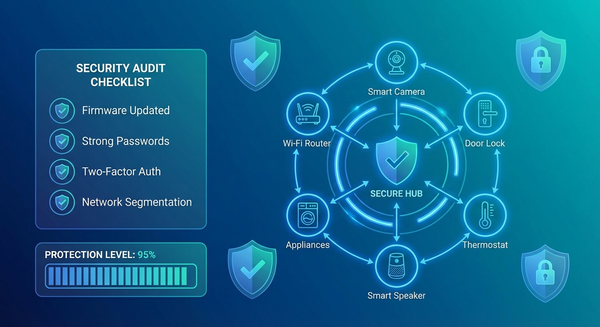
- Change every default password - Use unique 16+ character passwords per device
- Update firmware now - Check manufacturer websites, not just in-app updates
- Disable unused features - Telnet, SSH, UPnP, remote access
- Disable WPS on routers - It's a persistent vulnerability
- Enable automatic updates - If the manufacturer is trustworthy and offers it
Advanced Hardening:
- Disable internet access for devices that don't need it (smart light bulbs, for example)
- Use local control (Home Assistant, Hubitat) instead of cloud-based
- Enable 2FA on device manufacturer accounts
- Configure device firewalls if available
Layer 2: Network Segmentation
Why It Matters: If your IoT network is isolated from your primary network, a compromised smart bulb can't access your laptop with tax documents or work files.
Implementation Options:
- VLAN segmentation (best): Separate virtual networks at the router level
- Multiple SSIDs (good): Guest network for IoT devices
- Separate physical router (acceptable): Second cheap router just for IoT
- IoT firewall rules: Block IoT devices from accessing non-essential internet resources
Network Architecture Example:
Internet → Router
    ├─ Primary Network (computers, phones, trusted devices)
    ├─ IoT Network (smart home devices - restricted outbound)
    └─ Guest Network (visitors - no local access)
Layer 3: Network Monitoring and Detection
You need visibility into what your devices are doing.
Monitoring Tools:
- Router traffic logs: Enable and review monthly
- Network scanning: Fing, Angry IP Scanner, nmap for device discovery
- Traffic analysis: ntopng, Wireshark for deep packet inspection
- Commercial solutions: Firewalla, Cujo, Dojo for automated threat detection
What to Monitor:
- Data volume per device (sudden spikes = red flag)
- Connection destinations (unknown IPs, especially foreign)
- Connection patterns (activity when you're asleep)
- New devices appearing on network
- Port scan attempts
Set Up Alerts For:
- Unusual bandwidth consumption
- Connections to known malicious IPs (threat intelligence feeds)
- Devices communicating on Telnet (port 23) or other legacy ports
- Failed authentication attempts
- New devices joining network
Layer 4: Perimeter Defense
Router-Level Protection:
- Change router admin password - Router compromise = full network compromise
- Disable remote management - Unless you absolutely need external access
- Enable router firewall - Block inbound connections by default
- Disable UPnP - Prevents devices from opening ports automatically
- Use secure DNS - Cloudflare 1.1.1.1, Quad9, or Pi-hole with filtering
- Enable DNSSEC - Prevents DNS spoofing
Advanced Perimeter:
- Intrusion detection/prevention (Snort, Suricata, or commercial IDS/IPS)
- Geo-blocking (block countries you never interact with)
- Rate limiting on outbound connections
- Deep packet inspection where feasible
Layer 5: Device Lifecycle Management
Purchase Phase:
- Research manufacturer security track record
- Check average support duration (aim for 5+ years)
- Verify devices receive regular updates
- Look for security certifications (if any exist)
- Avoid cheap unknown brands
Operational Phase:
- Quarterly firmware check and update
- Annual security audit of all devices
- Monitor manufacturer security bulletins
- Review device necessity (do you still need it?)
End-of-Life Phase:
- Replace devices that no longer receive updates
- Properly wipe/factory reset before disposal
- Consider offline alternatives for replaced devices
What To Do If You're Already Compromised
Immediate Response (First Hour):
- Isolate the device: Disconnect from network (unplug ethernet, disable WiFi)
- Document everything: Screenshot logs, write down observations
- Don't delete yet: Preserve evidence if you need to report it
- Check other devices: Infection may have spread
Remediation Steps:
- Factory reset the compromised device - Consult manual for proper procedure
- Update firmware before reconnecting - Download from manufacturer site (not device)
- Change all passwords - Device, manufacturer account, router
- Scan network for other infections - Use security scanner
- Review router logs - Identify other potentially compromised devices
- Change router password - If device had access to network settings
Post-Incident:
- Monitor device closely for 30 days
- Consider replacing if behavior remains suspicious
- Report incident to manufacturer
- Report to ISP if they contacted you
- Consider reporting to CISA (US) or equivalent agency
The Future of IoT Botnets: What's Coming
Emerging Threats:
- AI-powered botnets: Adaptive attacks that learn and evade detection
- 5G device targeting: Higher bandwidth = more powerful attacks
- Cross-platform infections: Botnets that jump between IoT, mobile, and desktop
- Supply chain attacks: More pre-infected devices from compromised manufacturers
- Smart city infrastructure: Traffic systems, utilities, public WiFi becoming targets
- Medical IoT: Healthcare devices as botnet soldiers (terrifying implications)
Industry Response (Slowly Improving):
- Matter/Thread protocols with security built-in
- Government regulations (EU Cyber Resilience Act, US IoT labeling)
- Manufacturer liability for insecure devices
- ISP-level botnet detection and quarantine
- Security by design movements
The Bottom Line: Your Responsibility
Here's the uncomfortable truth: you're responsible for securing your devices. Manufacturers often ship insecure products, and regulators are slow to enforce standards. Your compromised camera doesn't just affect you—it becomes part of an attack that harms others.
The Three-Step Minimum:
- Change every default password (takes 30 minutes)
- Update all firmware (takes 1 hour)
- Enable network segmentation (takes 2 hours)
These three steps alone will prevent 90% of IoT botnet infections.
Think of it this way: Every unsecured IoT device is like leaving your car running with the keys in it. Sure, you might be the victim if it's stolen—but that car might be used in a crime that hurts someone else. Digital citizenship means securing your devices.
The rise of IoT botnets in 2026 isn't a distant threat or theoretical risk. It's happening right now, at massive scale, and statistically, several of your devices have already been scanned by attackers. The question isn't "Will my devices be targeted?" but "When will they be targeted, and will I be ready?"
Start securing your IoT ecosystem today. Your network—and the internet—will be safer for it.