Smart Home Default Password Crisis: How Hackers Are Walking Through Your Digital Front Door

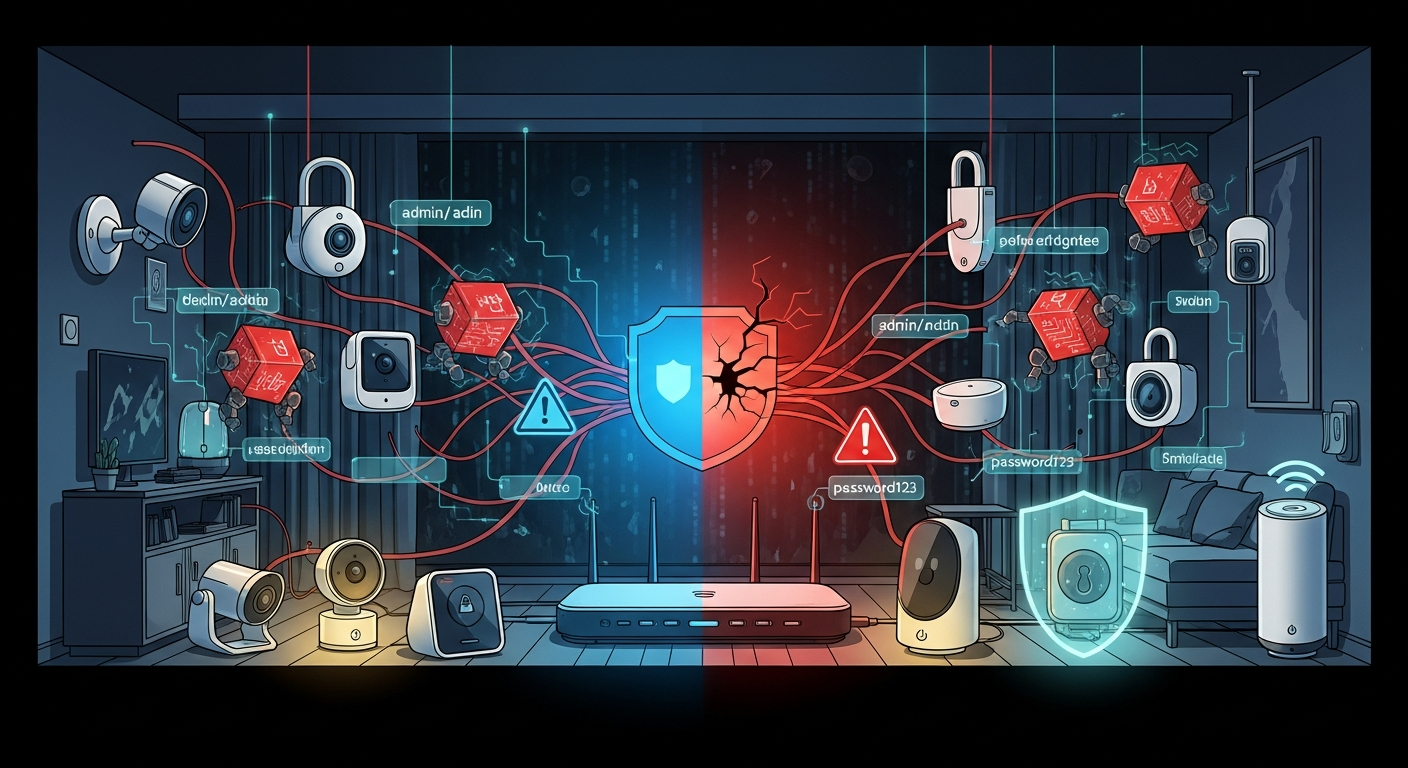
Your smart camera, doorbell, and baby monitor might be broadcasting to the entire internet right now. Here's why—and exactly how to fix it.
Last month, a family in Ohio sat down for dinner when a voice crackled through their baby monitor: "I can see you." A stranger, somewhere on the internet, had taken control of their nursery camera. They weren't hacked through some sophisticated cyberattack. The camera simply had the same password it came with—"admin."
This isn't a rare horror story. It's happening right now, to thousands of families, and the numbers are staggering.
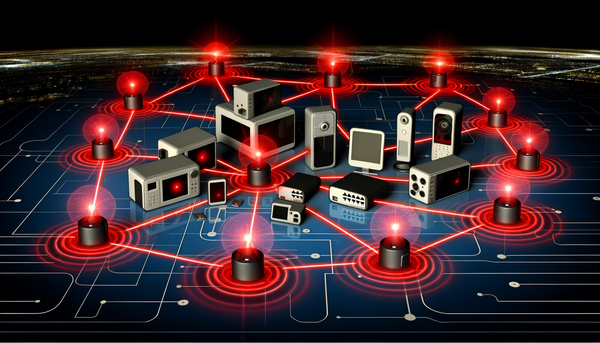
Over 800,000 IoT attacks happen every single day, according to cybersecurity researchers tracking global threat data. Your home faces dozens of automated attack attempts daily just from hackers probing your smart devices. And here's the terrifying part: roughly one in five smart home devices is still using the factory default password.
If you've ever plugged in a smart camera, connected a video doorbell, or set up a WiFi router without changing the password, you may have unknowingly left your digital front door wide open.
The Default Passwords Every Hacker Already Knows
Here's a dirty secret the smart home industry doesn't want to advertise: most devices ship with passwords like "admin," "1234," "password," or "admin123." These aren't security credentials—they're placeholder text that hackers have memorized for over a decade.
The scope of the problem is staggering. Industry research consistently shows:
- One-third of consumer IoT devices ship with default credentials enabled
- Over 40% of smart home users never change their passwords from factory settings
- Up to 17% of IoT devices contain hardcoded credentials that can't even be changed
- The average home now has 15 to 25 connected devices, up from just 10 a few years ago
That means your home might have two dozen entry points for hackers, and nearly half of them might as well have "Welcome, Criminals!" painted on the door.
Why does this keep happening? Three forces work against you.
Manufacturers prioritize cheap and fast over secure. Proper security costs money—encrypted chips, unique password generation systems, ongoing update servers. Budget device makers skip all of it to hit lower price points. That $25 camera isn't cheap because the company found manufacturing efficiencies. It's cheap because they cut corners on security.
The setup process sets you up to fail. Many devices don't require—or even strongly encourage—changing the default password during setup. You're excited to see your new video doorbell working, not reading security warnings buried in 47 screens of fine print.
"Set it and forget it" culture does the rest. Once a device works, most people never touch the settings again. That camera from 2020? It's still running the same password and firmware it had six years ago—and hackers know it.
Real Smart Home Hacks That Happened to Families Like Yours
This isn't theoretical. These attacks are happening constantly, and the consequences are devastating.
The 2024 Mass Smart Home Breach
In mid-2024, thousands of homeowners across the country reported the same nightmare: strangers had taken control of their smart homes. Smart locks were remotely unlocked. Security cameras were accessed. Thermostats cranked to extreme temperatures. In some cases, hackers had been watching families through their own cameras for weeks before anyone noticed.
The cause wasn't a sophisticated cyberattack. It was weak passwords and default settings. Hackers didn't need elite skills—just automated scripts that tried common default passwords against internet-connected devices. If your camera's password was "admin," it took less than a second to crack.
BadBox 2.0: Malware Pre-Installed at the Factory
This one is particularly disturbing. In 2024 and 2025, security researchers uncovered a massive botnet called BadBox 2.0 that had infected over one million devices—with some estimates suggesting up to ten million compromised units.
Here's the chilling twist: the malware wasn't downloaded by users. It was pre-installed at the factory before the devices ever reached store shelves.
Cheap Android TV boxes, streaming devices, tablets, and even car infotainment systems from obscure manufacturers came with malware baked right into the firmware. Once plugged into your home network, these devices could:
- Hijack your internet connection for criminal activities
- Intercept your two-factor authentication codes
- Launch attacks against other targets using your IP address
- Download additional malware onto your network
- Generate fraudulent ad revenue for criminals
The FBI issued warnings about the threat. German authorities blocked 30,000 infected devices in late 2024, but the botnet rebuilt itself within weeks.
If you bought an unbranded streaming box or smart TV from a discount marketplace, it may have been compromised before you ever opened the package.
Baby Monitor Hacks: When Strangers Speak to Your Children
Perhaps no smart home breach hits harder than attacks on baby monitors and nursery cameras. Reports of hackers speaking to children through hijacked cameras have become distressingly common. Parents have heard strangers whispering to their babies, playing music, or screaming obscenities in the middle of the night.
Security researchers have found that roughly one in four IoT baby monitors has exploitable vulnerabilities. Some store video completely unencrypted. Others transmit footage without proper authentication. Many ship with default passwords that appear on hacker forums right next to the device model numbers—a shopping list for predators.
Healthcare Breaches Show the Larger Stakes
Major ransomware attacks have repeatedly hit hospitals by exploiting IoT-connected medical devices. Patient monitors, infusion pumps, and imaging machines have been compromised. Hospitals have been forced to cancel surgeries, divert ambulances, and revert to paper records.
A common root cause? Default credentials on network-connected equipment—the same vulnerability sitting in your living room.
Healthcare data breaches now cost an average of nearly $10 million per incident—the highest of any industry. If hospitals with dedicated IT security teams struggle to keep their devices secure, what chance does your home have without taking deliberate action?
The Most Vulnerable Smart Home Devices Hackers Target in 2026
Not all smart home devices carry equal risk. Here's what hackers are actively hunting for, ranked by how often they're successfully compromised:
1. Smart Cameras and Video Doorbells (Highest Risk)
Security cameras are the #1 target for IoT hackers. They represent the largest share of botnet infections—nearly 40% of all compromised IoT devices are cameras.
Why? The payoff is enormous. A compromised camera gives hackers:
- Live video of your home and daily routines
- Audio of your private conversations
- Your schedule (when you're home, when you leave, when you sleep)
- A persistent connection to probe other devices on your network
Researchers regularly discover tens of thousands of security cameras exposed to the open internet with zero authentication. Budget camera brands have been caught storing user passwords in plain text—meaning anyone who breaches the company's servers gets every customer's login credentials in one swoop.
2. WiFi Routers (The Master Key to Everything)
Your router is the gateway to your entire digital life. Routers account for roughly one-quarter of all botnet infections and represent the single most important device to secure in your home.
A hacker who compromises your router can:
- Monitor all traffic flowing through your network
- Redirect you to fake banking and shopping websites
- Attack every device connected to your WiFi
- Intercept passwords, credit card numbers, and private messages
Most routers ship with admin credentials printed on a sticker—"admin/admin" or "admin/password"—and millions of households never change them. It's like leaving your house key under the doormat with a neon sign pointing to it.
3. Smart TVs and Streaming Boxes
Remember BadBox 2.0? Cheap streaming devices are malware magnets. Industry studies suggest that a significant percentage of smart TVs—possibly 15% or more—harbor some form of malware or unwanted software.
These devices often run outdated Android versions that never receive security patches. Some require disabling Google Play Protect to install apps, which removes critical malware scanning. Once compromised, they can track everything you watch, display phishing messages that look like system alerts, or serve as a launching point for attacks on more valuable devices like your laptop or phone.
4. WiFi Baby Monitors and Nursery Cameras
We've covered the horror stories. The statistics back them up: roughly one in four baby monitors has known security flaws. Many transmit completely unencrypted video streams that anyone on the internet can intercept with freely available tools. If protecting your children matters—and of course it does—this device deserves your immediate attention.
5. Smart Locks and Garage Door Openers
The stakes here are physical, not just digital. Security researchers have demonstrated breaking into smart locks through weak authentication, API vulnerabilities, and yes—default PIN codes.
If a hacker compromises your smart lock, they can unlock your door from anywhere in the world.
6. Voice Assistants (Alexa, Google Home, HomePod)
Amazon Echo, Google Home, and Apple HomePod devices are generally well-secured by their manufacturers—these companies have strong incentives to protect their reputations. However, voice assistants remain vulnerable to spoofing attacks where hackers play ultrasonic commands that humans can't hear but devices respond to. Academic researchers have demonstrated various spoofing techniques that work against a meaningful percentage of voice assistants in certain conditions.
7. Smart Plugs, Bulbs, and Budget Devices
These devices seem harmless—who cares if someone hacks a light bulb? But every device is an entry point. A compromised smart plug on your network can scan for more valuable targets like your computer or phone. Budget devices from unknown brands often have no encryption, no updates, and default credentials that never get changed.
Complete Smart Home Security Checklist: Lock Down Every Device
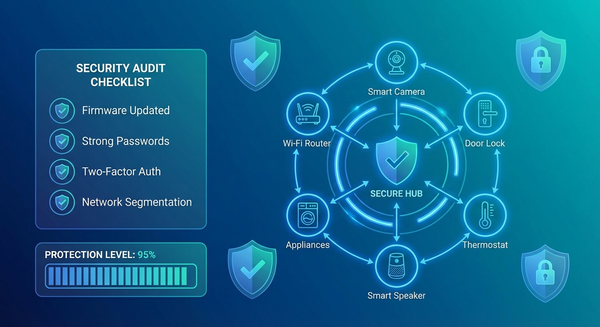
Here's your complete action plan to secure your smart home. Block out an hour this weekend and work through it systematically. Print this page if it helps.
Do These Today (30 Minutes)
Step 1: Create a device inventory.
Walk through your home and list every connected device: cameras, doorbells, locks, thermostats, TVs, speakers, appliances, light bulbs, plugs, baby monitors, garage door openers. Don't forget devices in the garage, basement, or kids' rooms. Check your router's admin page to see devices you might have forgotten—you'll likely be surprised by how many there are.
Step 2: Change EVERY default password.
This is the single most important thing you'll do. Open each device's app or web interface and change the password to something unique and strong:
- At least 12 characters (longer is better)
- Mix of uppercase, lowercase, numbers, and symbols
- DIFFERENT for each device—never reuse passwords
- Use a password manager like 1Password, Bitwarden, or Dashlane to track them all
Prioritize by risk: Cameras and baby monitors first, then locks, then router, then everything else.
Step 3: Secure your router immediately.
Log into your router's admin panel (check your manual for the address—usually 192.168.1.1 or 192.168.0.1). Then:
- Update the firmware to the latest version
- Change both the admin username AND password
- Change your WiFi network password to something strong
- Enable WPA3 encryption (or WPA2-AES if WPA3 isn't available)
- Disable WPS (WiFi Protected Setup)—it has well-documented vulnerabilities
Step 4: Enable two-factor authentication (2FA) everywhere.
Turn on 2FA for every device and app that offers it. Start with camera apps, smart lock apps, and voice assistant accounts. Use an authenticator app (like Google Authenticator or Authy) instead of SMS codes whenever possible—SMS can be intercepted.
Do These This Week (1 Hour)
Step 5: Create a separate network for IoT devices.
This is the single best way to limit damage if any device gets compromised. Use your router's "guest network" feature and connect all smart home devices to it. Keep your computers, phones, and tablets on the main network.
Why does this matter? If a hacker compromises your smart light bulb, they can only see other IoT devices on the guest network—not your laptop with your banking information, tax documents, and passwords. Network segmentation turns a breach into an inconvenience instead of a catastrophe.
Step 6: Disable remote access you don't actually need.
Many devices enable internet remote access by default. Ask yourself honestly: Do you actually need to adjust your thermostat from another country? Control your garage door from 3,000 miles away? If not, disable remote access in the device settings. Every feature you disable shrinks your attack surface.
Step 7: Audit app permissions on your phone.
Check what permissions your IoT apps have requested. Does your light bulb app really need access to your contacts, microphone, and location? Revoke unnecessary permissions. Delete apps for devices you no longer use—old apps are forgotten attack vectors.
Ongoing Maintenance (Monthly Check-In)
Step 8: Enable automatic updates everywhere.
Firmware updates patch security holes that hackers actively exploit. Turn on auto-update for every device that offers it. For devices without auto-update capability, set a monthly calendar reminder to check manufacturer websites manually. Yes, it's tedious. Yes, it matters.
Step 9: Audit connected devices monthly.
Log into your router and review the list of connected devices. Do you recognize everything? Unknown devices could be neighbors piggybacking on your WiFi—or hackers who've established a foothold. Remove or block anything you don't recognize immediately.
Step 10: Replace devices that no longer receive updates.
Search each manufacturer's website to verify your devices still receive security patches. Products that have reached "end of life" status are permanent security liabilities with vulnerabilities that will never be fixed. Budget to replace them, prioritizing cameras, locks, and any device with access to sensitive areas of your home.
How to Tell If Your Smart Home Has Already Been Hacked
Worried your smart home devices might already be compromised? Here's how to investigate and what to do about it.
Warning Signs Your Devices May Be Compromised:
- Devices behaving strangely (turning on/off randomly, settings changing without your input)
- Unfamiliar devices appearing on your network device list
- Noticeably slower internet speeds (your bandwidth may be hijacked for attacks)
- Strange sounds, voices, or music from speakers or cameras
- Account alerts about logins from unfamiliar locations or devices
- Significantly higher than normal data usage on your internet bill
Check Your Exposure:
Search for your devices on Shodan. Shodan is a search engine that indexes internet-connected devices. Visit shodan.io, create a free account, and search your home IP address. If your cameras or devices appear in results, they're visible to every hacker in the world.
Review account activity. Log into each smart home app and check for:
- Unfamiliar login locations
- Devices you don't recognize
- Activity you didn't perform
Check for leaked credentials. Visit haveibeenpwned.com and enter email addresses you've used for smart home accounts. If they appear in breaches, change those passwords immediately.
If You Find Evidence of Compromise:
- Disconnect the suspicious device from your network immediately
- Change passwords on all IoT devices AND your router
- Update firmware on every device
- Factory reset the compromised device
- Set it up fresh with a new, strong password
- Enable 2FA on all accounts
- Monitor for continued strange activity
Smart Home Security Buying Guide: What to Look For (and Avoid)
The best smart home security starts before you buy. Avoiding vulnerable devices in the first place saves you from headaches later. Before you purchase anything that connects to your home network, run through this checklist.
Green Flags (Signs of a Secure Device):
✅ Reputable brand with a track record of providing security updates
✅ Forces password change during initial setup (not just suggests it)
✅ Automatic updates enabled by default
✅ Published support timeline (tells you exactly how long they'll provide updates)
✅ Two-factor authentication available and encouraged
✅ End-to-end encryption for video, audio, and data transmission
✅ Google Play Protect certified (for Android-based devices)
✅ Apple HomeKit or Matter certified (these programs enforce strict security standards)
✅ Transparent privacy policy explaining what data is collected and how it's used
Red Flags (Walk Away Immediately):
❌ Unknown or unbranded manufacturer (if you can't find a legitimate company website, don't buy it)
❌ Suspiciously cheap compared to competitors (security costs money—if it's 70% cheaper, ask why)
❌ No mention of security features anywhere on packaging, website, or documentation
❌ Requires disabling Google Play Protect to install the companion app
❌ Apps only available from third-party app stores, not official Google Play or Apple App Store
❌ No firmware update mechanism or no history of ever releasing updates
❌ Default password printed on device with no setup process requiring you to change it
❌ No customer support contact information or physical address for the company
Questions to Ask Before Purchase:
- How long will this device receive security updates?
- Can I change the default password?
- Does it support two-factor authentication?
- Is the data encrypted?
- Can I use it without cloud connectivity if I prefer?
New IoT Security Laws Are Finally Forcing Change
There's good news on the horizon. Governments around the world are finally forcing manufacturers to take smart home security seriously.
The UK Product Security and Telecommunications Infrastructure (PSTI) Act went into effect in April 2024. It legally bans universal default passwords—every device sold in the UK must ship with a unique password. Violations carry penalties up to £10 million or 4% of global revenue, whichever is higher.
The EU Cyber Resilience Act will become fully enforceable by December 2027, requiring security-by-design for all connected products sold in the European market. California has had similar laws on the books since 2020.
These regulations mean devices manufactured in the coming years should be fundamentally more secure than what came before. But here's the catch: billions of vulnerable devices are already installed in homes worldwide—and that almost certainly includes some in yours. The law protects future purchases, not your current devices.
Your Smart Home Doesn't Have to Be a Security Nightmare
Here's the reassuring truth: securing your smart home isn't hard. It takes a weekend afternoon, not a computer science degree. The fundamentals—changing default passwords, updating firmware, segmenting your network—stop the vast majority of attacks cold.
The hackers compromising baby monitors and smart cameras aren't criminal masterminds. Most are running automated scripts that try "admin" and "password" against millions of devices, looking for easy targets. If your password isn't a factory default, you've already moved yourself out of the lowest-hanging fruit category that automated attacks harvest first.
But you have to actually do it. Every device. Every password. Every update.
Start today. Pick your highest-risk device—probably your router or your primary security camera—and change that password right now. Not tomorrow. Not this weekend. Now, before you close this browser tab and forget.
Because somewhere out there, an automated script is scanning the internet right now, probing for the next "admin/admin" camera to add to a botnet, the next unsecured baby monitor to hijack, the next router to compromise.
Don't let it find yours.
Have questions about securing specific smart home devices? Drop them in the comments below, and we'll address them in future articles or add them to our growing FAQ.